This article serves as an Information Session "checklist" to support recruitment and screening operations. The handoff from Mentor Engagement Teams to the Screening Team is a critical moment during a mentor applicant's journey.
It gives us great joy when a potential mentor has a positive experience applying to our program. Missing information, or delays with updated attendance statuses in Salesforce, can cause issues in the application process. For this reason, having a Salesforce campaign updated with all the items listed below within 24 hours after the Info Session has ended, is an important muscle to build.
Corporate partners are unique, and in some cases more than 24 hours will be needed to gather applicant contact information. Mentor Engagement Teams know their corporate partners best and have their strategies in place to collect this information timely.
When a Salesforce campaign is ready and accurate, a mentor applicant will get the right communication at the right time. This will move applicants quicker and more efficiently through the pipeline. In addition, accuracy is beneficial for data reporting purposes.
Below is a checklist of items to help ensure Information Session Campaigns are accurate:
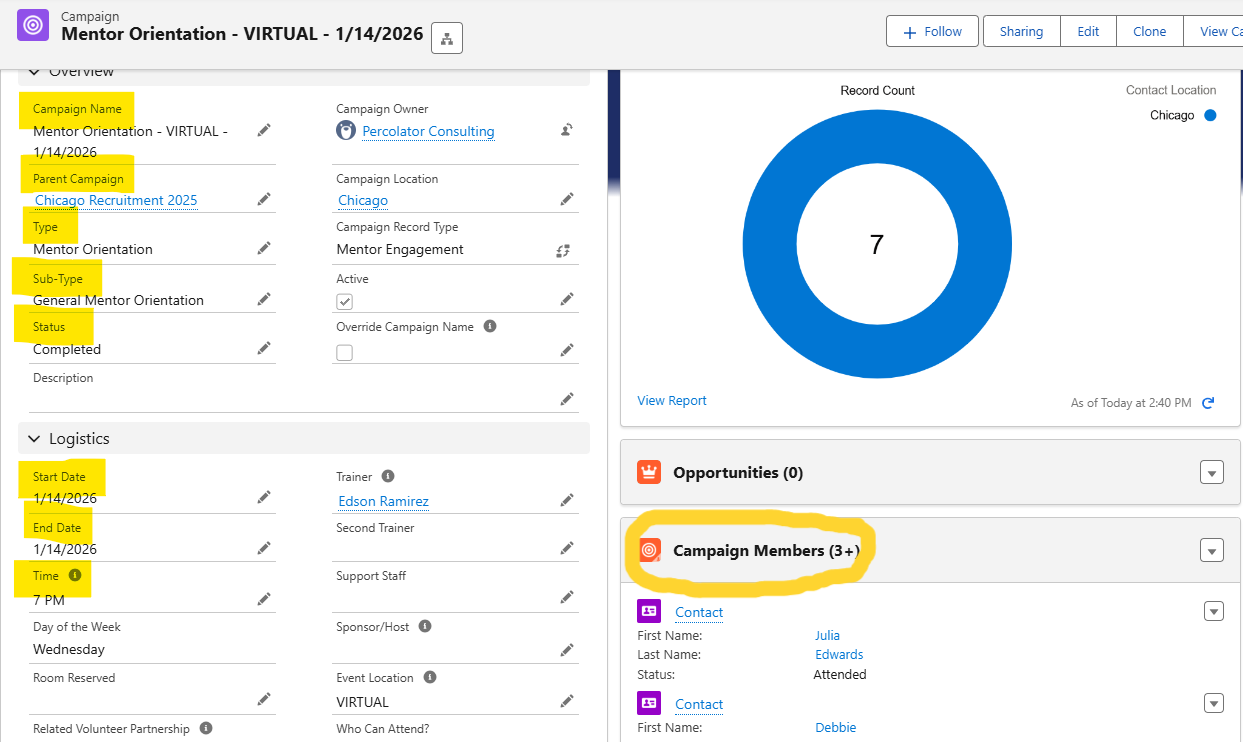
- Campaign Name inputted
- Parent Campaign linked
- Type inputted
- Sub-Type inputted
- Status marked Completed
- Start Date inputted
- End Date inputted (double check this is populated once campaign is marked Completed)
- Time inputted
- All contacts (Campaign Members) added to campaign
Click into 'Campaign Members' to check attendance is updated
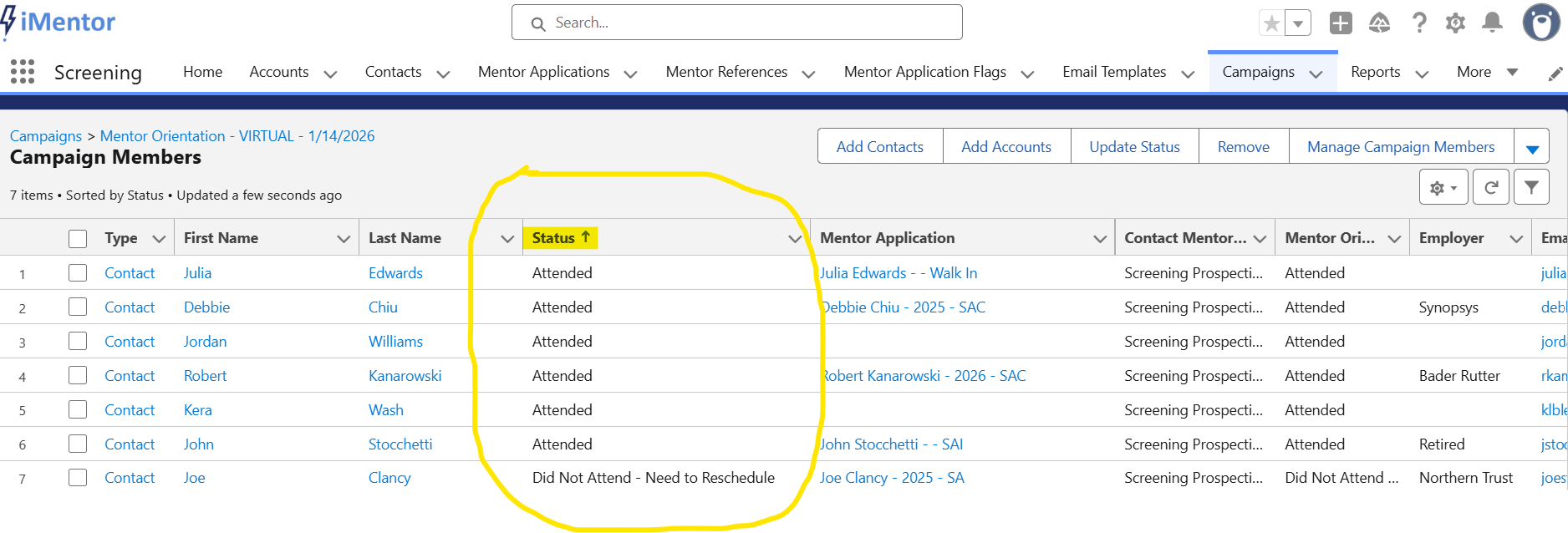
- All contacts should be marked as "Attended" or "Did Not Attend - Need to Reschedule", etc.
*Other helpful notes- adding contact records to campaigns as soon as possible really helps to move an applicant through the pipeline. To prevent duplicate contact records, check to see if a contact record already exists in Salesforce and use personal emails when possible.